Last updated: November 19, 2026
Quick answer: Freelancers can manage payment receipts and proof of payment with one invoice-based filing system, and a same-day save routine usually takes about 5 minutes per payment.
Key Takeaways
- Keep each payment tied to one job, one invoice, and one date.
- Proof of payment can be any record showing money sent, received, or credited to the right account.
- Start with invoice number, then sort by month.
- Save payment proof the same day money lands.
A freelancer’s How Freelancers Manage Payment Receipts and Proof of Payment system keeps the receipt, proof of payment, invoice, and bank transfer confirmation together so one payment can be traced in minutes, not hours. The practical fix is a simple filing system tied to each invoice number. The steps below show what to keep, where to put it, and how to use it when a payment is disputed.
What a payment receipt system needs to keep together
A payment receipt system keeps every payment record attached to one job, one invoice, and one date. If the same payment lives in email, a bank app, and a folder with no label, you lose time the first time a payment question comes up.
For example, you finish a project, send invoice 248, and the transfer lands three days later. You need the invoice, the bank transfer confirmation, and the email that says “paid” to sit in the same place. That is the point of the system.
At minimum, save these items for each job:
- the invoice PDF or copy
- the receipt you issued, if you send one
- the bank transfer confirmation or card payout notice
- any email, portal message, or chat that says the payment was sent
- a note showing the payment date and amount
Keep the records in a format you can open later without special software. A PDF and a plain text note are safer than a screenshot buried in a photo roll. If your payment processor exports statements, save those too; most export files are easier to search than image files.
The truth is, this is not just about proof in a dispute. It also helps when you need to answer a tax question, check a late payment, or match a deposit to the right job. A clean payment receipt system saves time every month.
What counts as proof of payment for freelance work?
Proof of payment for freelance work is any record that shows money was sent, received, or credited to the right account. A bank transfer confirmation is strong proof, and a payment platform receipt is useful too, as long as the name, amount, date, and reference are visible.
For instance, a contact says they paid last week, but the amount is off by a small number and the invoice number is missing from the note. You need the record to show the exact amount, the date, and the payment channel so you can answer in one reply.
Common forms of proof include:
- bank transfer confirmation with a reference or transaction ID
- card payment receipt from the processor
- PayPal or similar wallet receipt
- automated email confirming that payment was completed
- a screenshot from the payer’s portal, if it shows date and amount clearly
Not every screenshot is equal. A crop of a balance screen is weak evidence because it may show a balance change without tying it to your invoice. A transfer notice with the last four digits of the account, the date, the amount, and the reference code is much better.
The practical habit is to ask for payment in a way that creates its own trail. If the platform sends a receipt automatically, keep that receipt. If the payment comes by bank transfer, ask the payer to include the invoice number in the memo line. That one detail makes later matching much easier.
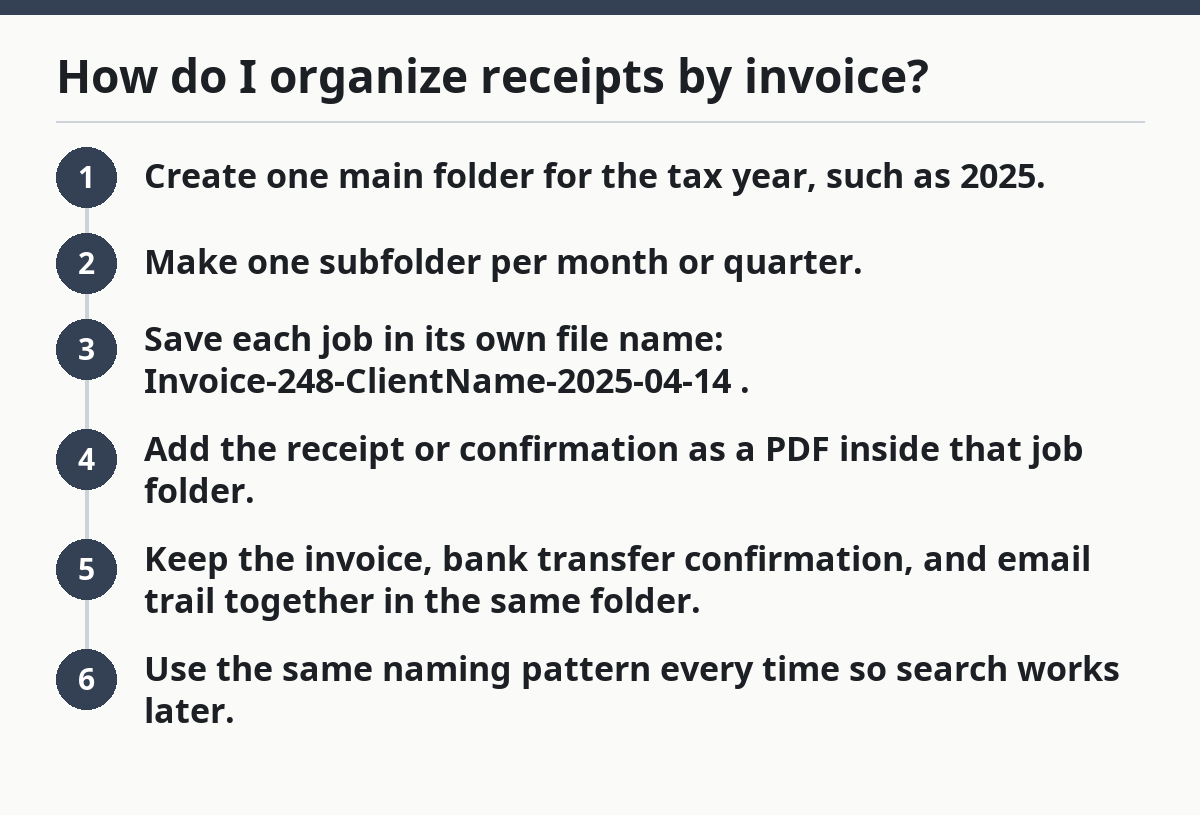
How do I organize receipts by invoice?
Organize receipts by invoice number first, then by month. That gives you one clear path from invoice to proof of payment without hunting through email threads.
For example, you open a folder named “2025,” then a subfolder for “Q1,” and inside it you see invoice 241, 242, and 243 with all matching records attached. You know in seconds which payment belongs to which job.
A practical setup looks like this:
- Create one main folder for the tax year, such as 2025.
- Make one subfolder per month or quarter.
- Save each job in its own file name:
Invoice-248-ClientName-2025-04-14. - Add the receipt or confirmation as a PDF inside that job folder.
- Keep the invoice, bank transfer confirmation, and email trail together in the same folder.
- Use the same naming pattern every time so search works later.
The file name matters more than most freelancers think. If every file starts with the invoice number, you can sort by name and find the full record fast. If you prefer date order, keep the date in the file name in ISO form, like 2025-04-14, because it sorts cleanly in most systems.
Paper records still have a place if a contract requires them or if you print monthly files for a binder. Use dividers labeled by month and keep each invoice packet behind its divider. That old-school method works, but only if you are disciplined about filing the same day the payment arrives.
The best process for saving payment proof every time
Save payment proof the same day the money lands. A five-minute routine beats a weekend of sorting through 80 emails and three payment apps.
For example, the notification pops up on your phone, and you resist the urge to “deal with it later.” You save the record while the payment is still fresh, and the invoice file is already open on your screen.
Use this routine for each payment:
- Open the invoice that matches the payment.
- Save the bank transfer confirmation, card receipt, or platform receipt as a PDF.
- Rename the file with the invoice number and date.
- Put the file in the correct month or job folder.
- Save the email or message that confirms payment, if there is one.
- Add a short note with any detail that is not obvious, such as a partial reference or a different payer name.
Set one rule and keep it. If you file proof within 24 hours, the system is more likely to stay current. If you wait a week, the records start drifting out of order, and small gaps turn into missing files.
This routine also helps if a deposit arrives under a company name instead of an individual name. You can keep the note beside the receipt and avoid confusion later. If a payment platform uses a reference code, copy that code into your note right away.
How to match receipts to invoices without confusion
Match the receipt to the invoice by amount, date, payer name, and reference number. If those four details line up, you usually have the right record.
For example, two payments arrive on the same day, one for a logo project and one for a monthly retainer. The amounts are close, but not identical. You need a clean method so the wrong receipt does not get attached to the wrong invoice.
Use the invoice as the anchor record. Then check:
- exact amount
- payment date
- payer or account name
- invoice number or memo reference
- currency, if you work across borders
If one detail is missing, look at the other three. A receipt with the same amount and date can still be wrong if the payer name points to a different account. A payment note that includes the invoice number settles the issue faster than any other clue.
When a payment is split across two transfers, keep both confirmations in the same invoice folder and note that the payment was received in two parts. This page does not cover how to track partial payments and deposits in detail, but the rule is the same: attach every transfer to the same invoice record so the trail stays readable.
For recurring work, a spreadsheet can help. Add columns for invoice number, date sent, date paid, amount, receipt file name, and confirmation status. That gives you a quick index without replacing the actual records.
What breaks a receipt system and how to fix it
The biggest mistake is saving proof in too many places. Email, desktop, downloads, phone photos, and cloud folders can all hold pieces of the same payment, and none of them tells the whole story on its own.
For example, a payment dispute lands six months later, and the only copy of the transfer note is a screenshot in a camera roll full of dinner photos. You still have the data somewhere, but finding it costs real time.
Common failures and the fix:
- No file names: Use invoice numbers in every file name so search works.
- Screenshots only: Save the original receipt or export, not just an image crop.
- No invoice link: Keep the invoice and proof in the same folder.
- No payment note: Write the reason, reference, or project name beside the receipt.
- Mixed months: File by month or quarter so old jobs don’t vanish into the wrong year.
Another mistake is trusting memory. A payment marked “done” in your head is not proof. If a platform offers a transaction history export, save it. If your bank app gives a downloadable confirmation, keep that too. These records are plain evidence, not decoration.
On the flip side, overcomplicating the system creates its own mess. You do not need six categories for the same payment. A single folder, a single naming rule, and a single place for confirmations is enough.
How long to keep payment receipts and bank records
Keep payment receipts and bank records long enough to cover tax and dispute questions, which often means several years. The exact retention period depends on where you live and how your tax rules work, so check the local rule before you delete anything. The IRS generally advises keeping tax records for at least 3 years, and in some situations longer, depending on the return and records involved. IRS recordkeeping guidance
For example, you delete last year’s payment files to clean up your drive, then a former contact asks for proof of payment on an old invoice. If the record is gone, you have no easy answer.
A practical retention plan is simple:
- keep invoice and receipt records for the full tax record period in your country
- keep disputes, corrections, and refund records until the issue is fully closed
- keep bank transfer confirmations with the invoice file, not in a separate pile
- review old folders once a year so nothing critical gets lost in a cleanup
If your work involves recurring billing, keep one annual archive and one current working folder. The current folder handles this year’s jobs. The archive holds closed jobs from past years. That split makes searches faster and reduces accidental deletion. For file naming and long-term organization, Microsoft’s guidance on folders and naming conventions is a useful reference. Microsoft support on folder organization
The truth is, receipt storage is part bookkeeping and part memory. A payment record that is easy to find is far more useful than a file that exists but is impossible to trace. If you want the broader system behind this, the hub on freelance billing and client payment systems fits beside this guide.
How freelancers use confirmation messages as backup evidence
Freelancers use confirmation messages as backup evidence when a receipt alone does not show enough detail. An email, portal message, or chat note can confirm the payment date, the invoice number, or the reason for a delay.
For example, a contact writes, “Paid this morning,” but the bank transfer has not posted yet. You save the message with the invoice file, because that note may help explain timing later.
Treat these messages as support evidence, not the main record, and if a dispute is serious, consult a qualified accountant, lawyer, or other relevant professional; the FTC also advises keeping records and documentation when resolving payment or billing problems. FTC guidance on billing disputes A message without an amount is weak. A message with the invoice number, amount, and date is useful. If the payment comes through a portal, download the confirmation screen or export the message thread if the platform allows it.
A smart habit is to reply with a short acknowledgment once the payment lands. Use plain text such as “Payment for invoice 248 received on 2025-04-14, thank you.” That creates a second record in your inbox, and it reduces confusion if someone asks months later.
Do not rely on chat threads alone. Save the key line into the invoice folder as a PDF, text file, or printed note so the proof sits with the job record, not in a long conversation thread. WhatsApp’s own help materials note that chats can be backed up, but that does not make them a substitute for your invoice file. WhatsApp help center
Should freelancers save payment confirmations?
Yes, freelancers should save payment confirmations because they often become the easiest proof when a question comes up later. A confirmation email, transfer note, or platform receipt ties the money to a date and amount in a way memory cannot.
Keep the confirmation with the invoice, not in a separate inbox pile. If the message includes a reference number or invoice number, that makes the record much stronger.
How should payment receipts be organized?
Payment receipts should be organized by invoice number first and time period second. That lets you find the full record for one job without digging through unrelated files.
Use one naming pattern for every file and keep the invoice, receipt, bank transfer confirmation, and payment message together in the same folder. A monthly or quarterly structure also helps when you review records for tax time.
What counts as proof of payment for freelance work?
Proof of payment for freelance work includes any record that shows the money moved to the right account for the right invoice. Common examples are bank transfer confirmations, payment processor receipts, and clear email confirmations.
The strongest proof shows the amount, date, payer, and reference number. A blurry screenshot or a balance change without context is much weaker, so save the original record whenever possible.
Drafted with AI; not yet reviewed by a person.