
Last updated: November 19, 2026
Key Takeaways
- Monthly bank reconciliation helps freelancers close the month by matching bank lines to the books.
- Freelancers reconcile each month by matching cleared transactions and fixing exceptions before closing the period.
- Clear undeposited funds by moving only receipts that actually reached the bank into the matching deposit.
- Expense cleanup means sorting charges into the right category without forcing every line to fit.
Freelancers miss a lot of small bank errors and uncategorized transactions every month. Bank reconciliation fixes that by matching each bank statement line to your books, then cleaning up anything that does not match. The steps below show how to close the month without leaving stray deposits, fees, or duplicate entries behind.
What bank reconciliation does for a freelancer
Picture this: you open your bookkeeping software on the last day of the month and see 14 unmatched entries, two bank fees, and one deposit that landed in the wrong place. Bank reconciliation turns that mess into a clean month-end close, using your bank statement as the check against your books.
Bank reconciliation is the monthly match-up between the transactions in your bank account and the transactions in your records. For a freelancer, it usually means checking deposits from payment platforms, matching card charges and ACH debits, and fixing anything that was entered twice or missed once. A clean reconciliation makes your bookkeeping easier to trust. It also shows you where the month went off track.
According to the IRS, you should keep records that support income and expenses, and reconcile month-end figures before you rely on them. IRS Recordkeeping
Here’s the catch: reconciliation is not the same as bookkeeping setup. You still need the transactions entered somewhere first, usually in bookkeeping software or a spreadsheet that can filter by date and amount. For month-end cleanup, this article stays on the monthly workflow, not on year-round recordkeeping rules or tax filing questions.
A simple month-end pass usually works best when you treat it like a closeout routine, not a mystery hunt. If the account is complex or the difference does not make sense, consult a bookkeeping professional or CPA. Keep the bank statement open, sort your software by date, and deal with one type of item at a time.
- Bank statement in hand
- Books open by month
- Deposits separated from expenses
How do freelancers reconcile bank transactions each month?
Freelancers reconcile bank transactions each month by comparing the bank statement to the bookkeeping record, matching every cleared transaction, and fixing the exceptions before the month is closed. That is the whole job, but the order matters. If you skip the order, you end up chasing the same deposit three times.
Use this monthly workflow in the same order every time:
- Open the bank statement for the month and note the ending balance, statement date, and any pending items. Those three details set the boundary for the work and keep you from mixing two months.
- In your bookkeeping software, filter transactions to the same date range. Match deposits first, because income entries usually create the largest mismatch when they are split across platforms.
- Compare each bank deposit to the source record. If you use payment processors, look for one payout that may include multiple sales minus fees. The result should be one bank line matched to one recorded transfer or grouped deposit.
- Check expenses next. Match card charges, bank fees, subscriptions, and ACH withdrawals to the right expense category. If a charge is personal, move it out of the business books instead of forcing it into a business category.
- Review any item sitting in undeposited funds. Move only the amounts that actually hit the bank as a deposit. If the total in undeposited funds no longer agrees with the bank, you likely recorded a receipt without clearing it.
- Clear missing or duplicate entries. A bank line with no match may be missing from the books, and a book entry with no bank line may be dated wrong, duplicated, or still pending.
- Finish with the reconciliation report. The ending bank balance and the adjusted book balance should agree for that statement date.
Once this routine is in place, most months get faster because the same problem shows up in the same place. That is why a monthly cadence beats a random cleanup.
- Match deposits first
- Sort expenses second
- Leave out pending items
Match deposits before you touch expenses
Picture this: the bank shows a $1,240 deposit, but your books show three smaller payments and a platform fee. That is normal for freelance work, and it is why deposit matching comes before expense cleanup.
Freelancers often receive money in awkward shapes. One payment may arrive as a lump payout from a processor. Another may be a bank transfer from a marketplace. A third may land after fees were removed. If you try to match those against expenses first, the month gets noisy fast.
The right move is to match each bank deposit to its source entry in the books, even if that source entry is a grouped transfer. If your software supports it, use a transfer or payout record rather than forcing the deposit into income twice. If the deposit includes multiple sales, group them to the same bank line so the bank statement and the books point to the same total.
Common deposit problems are easy to spot once you know the pattern:
- Deposit recorded net of fees, but bank line shows gross amount
- Payment received in one month, bank transfer posted in the next
- Same payout entered twice
- Deposit posted to the wrong account
The cost of getting this wrong is time, not just clutter. A messy deposit trail can make it look as if income disappeared or doubled. The fix is usually boring: compare the deposit amount, the date, and the transfer source, then correct the entry rather than guessing.
If a deposit does not fit any obvious source, stop and look at the payment platform report for that month. A 10-minute check there usually beats an hour of hand-waving in the ledger.
- Gross vs. net matters
- Date shifts matter
- Duplicate payouts happen
What should I do with undeposited funds?
You should clear undeposited funds by moving only the receipts that actually reached the bank into the deposit entry that matches the statement. If the balance sits there after the month ends, something was recorded as received but never tied to a real bank deposit.
Undeposited funds are a holding place, not a permanent category. They are useful when money comes in before it lands in the bank, especially if several payments are bundled into one deposit. The problem starts when the balance is never cleared. Then the books say you have cash sitting in limbo while the bank says otherwise.
The clean monthly check is simple:
- Open the undeposited funds account in your software
- Compare each receipt to the bank statement deposit
- Combine receipts only when the bank combined them
- Remove anything that never hit the bank
- Leave pending items alone until they clear
Freelancers often make a bad trade-off here. They leave a receipt in undeposited funds because the amount is close, not exact. That saves a minute now and creates a mismatch later. Close enough is not close enough in reconciliation.
If you use bookkeeping software such as QuickBooks Online or Xero, the software usually expects undeposited funds to reach zero or near zero by month-end, except for deposits still pending at the bank. If that balance keeps growing, the issue is not the bank. It is the posting process.
The practical rule is plain: if the deposit appears on the bank statement, it belongs in the bank reconciliation. If it does not appear, it stays out until it does.
Reconcile expenses line by line without overcategorizing
Picture this: your card statement shows ten small charges, a software subscription, a bank fee, and one thing you bought for both business and personal use. Expense cleanup is where you sort those lines into the right bucket without pretending every charge is obvious.
Start with the easy matches. Recurring software fees, merchant fees, and bank charges usually repeat at the same amount and around the same date. Then move to variable charges such as postage, office supplies, travel, and subscriptions. Each one should land in one expense category that makes sense in your books.
The trap is overcategorizing. Freelancers sometimes give every charge its own custom label, which makes the chart of accounts harder to read and the reconciliation harder to finish. A better approach is to use a short list of expense categories and keep each one consistent. A cleaner set of categories helps you spot duplicates, personal charges, and missing receipts faster.
Use this test on each expense line:
- Does the amount match a real bank transaction?
- Does the date fall inside this bank statement period?
- Is the category the same one you would use next month?
- If it was personal, should it be removed from the business books instead of reclassified?
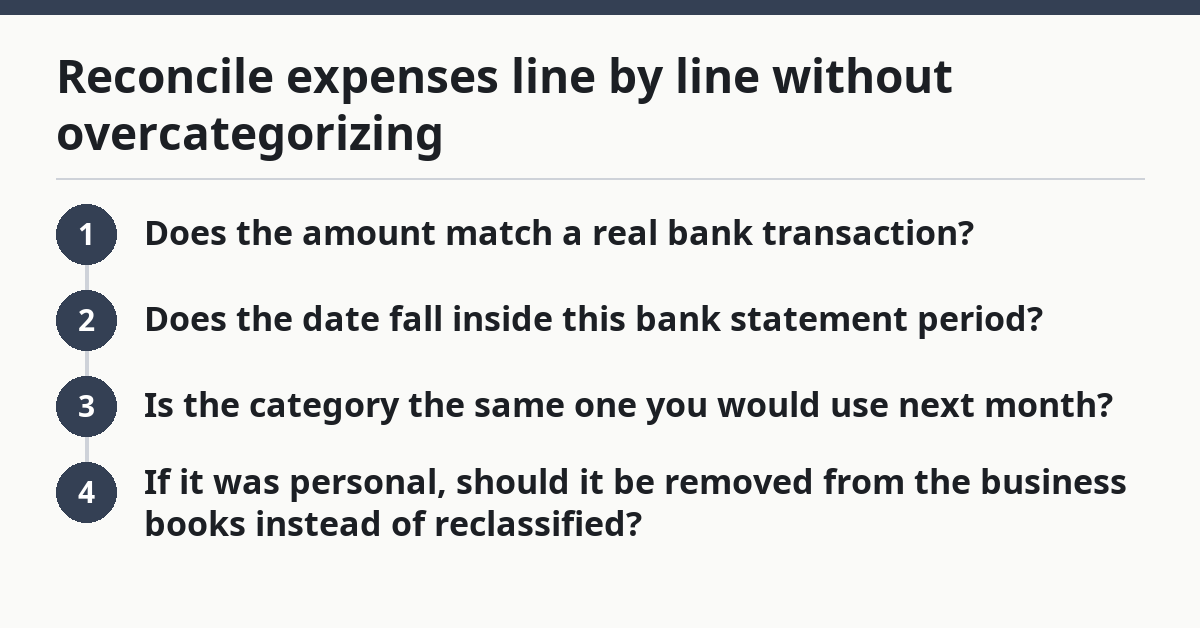
More categories can feel precise, but they slow the month-end review and make mistakes harder to see. Fewer, stable categories make reconciliation easier. That does not make your books sloppy; it makes them readable.
A good monthly pass ends with no unexplained bank fees, no duplicate card charges, and no personal items left sitting in an expense category. If one line still looks odd, trace it back to the source before you close the month.
- Match the date
- Match the amount
- Keep categories stable
The month-end cleanup that prevents repeat errors
Picture this: you finish reconciliation, but the next month starts with the same three problems again. That means the cleanup was cosmetic, not structural, and the books will keep breaking in the same spots.
Month-end cleanup is the step that makes the next reconciliation easier. It is where you fix the cause of the mismatch, not just the symptom. If a deposit was entered as net instead of gross, correct the setup. If a subscription posts twice every 30 days, note the pattern and change the coding rule. If a transfer keeps landing in the wrong account, fix the default account selection.
This is also the time to review the bank statement for anything the software will not catch automatically. Look for:
- Returned payments
- Bank fees
- Interest
- Card reversals
- Missing merchant deposits
Even one stray item can throw off the ending balance. A $5 fee is still a mismatch if it was never entered. A reversed payment is still a bank event if the books only show the first side of it. The fix is not to force the math; it is to record the missing piece in the right period.
If you use cloud bookkeeping software, save a short note in the reconciliation report about anything unusual. That note helps next month’s review go faster because the same issue will not look mysterious twice. Small notes beat memory every time.
This section is for the freelancer who wants the monthly process to shrink from an afternoon to a short, boring routine.
- Fix the source
- Record odd items
- Leave a note
How to spot the transactions that do not belong
Picture this: one bank line looks fine, but it has no matching invoice, no matching receipt, and no obvious reason to be there. That is the line that deserves your attention first, not last.
The obvious misses are missing transactions and duplicates. A missing transaction usually means the books are incomplete, the date is wrong, or the transaction is still pending. A duplicate usually comes from manual entry plus bank import, or from recording the same payout twice under slightly different names. Both problems can hide for weeks if you only scan totals.
Here is the fastest way to find the outliers: sort by date and compare the bank statement to the books line by line.
- Sort by date and compare the bank statement to the books line by line
- Filter unmatched items only
- Look for the same amount appearing twice within 1 to 3 days
- Check whether a bank transfer is really a deposit, not income
- Review any balance that seems off by a round amount
Round-number differences are especially useful. A missing $15 subscription or a duplicate $200 transfer usually shows up as a small, repeatable gap. If the difference is not random, it often traces back to one forgotten entry.
For freelancers, this monthly check is about finding the line that does not belong before it turns into a bigger cleanup. The bank line and the book line should agree, and every exception should have a reason.
The ideal outcome is boring. Every bank line has a book match, every unmatched item has a reason, and the statement balance agrees with the adjusted books.
Bank reconciliation for freelancers: what a clean month looks like
Picture this: your bank statement, your bookkeeping software, and your payment reports all say the same thing at month-end. That is a clean reconciliation, and it is the point of the whole exercise.
A clean month does not mean every transaction was simple. It means every deposit, expense, transfer, and fee has a place. The bank balance agrees with the books, undeposited funds is under control, and the odd items are explained instead of ignored. That kind of close makes the next month easier and keeps cleanup from turning into a quarter-end headache.
This is also where the hub on freelance banking and payment accounts fits best. Once the account structure is set, monthly reconciliation is the habit that keeps it honest.
If you want the short version, use this rule: match deposits first, clear expenses second, check undeposited funds third, and never close the month with an unexplained difference.
What does it mean to reconcile a business bank account?
It means matching the bank statement to the records in your books until both balances agree for the same date. The process catches missing entries, duplicates, bank fees, and transfers that were posted in the wrong place.
For freelancers, the useful part is not the word itself. It is the cleanup. A reconciliation shows which transactions cleared, which are still pending, and which need a correction before the month can be closed.
How often should freelancers reconcile their books?
Freelancers should reconcile once a month, right after the bank statement closes. That cadence keeps errors small and makes it easier to spot a missing deposit or duplicate expense before the next month starts.
Some people check weekly for high-volume accounts, but the monthly bank statement is the normal benchmark. If the account sees a lot of payouts or card charges, shorter check-ins can reduce cleanup time.
What if a bank transaction is missing?
A missing bank transaction usually means the entry is still pending, was recorded in the wrong month, or was never entered at all. Start by checking the date range, then compare the bank statement to your books line by line.
If the bank line still is not there, look at the source record: payment processor report, transfer history, or card authorization. If the item truly never cleared, leave it out of the reconciliation until it posts.
Drafted with AI; not yet reviewed by a person.