Last updated: November 19, 2026
Quick Answer: A client communication policy for freelancers can often fit in 6 core rules: one main channel, one reply window, business hours, meeting cadence, update rhythm, and an escalation path. Freelancers create a client communication policy so clients know how to reach you, when to expect answers, and what counts as an urgent issue. This article explains How Freelancers Create a Client Communication Policy and how to use it in a contract, proposal, or welcome doc.
The sections below turn that into a usable policy you can put in a contract, proposal, or welcome doc.
What a client communication policy does for a freelancer
A client communication policy sets the rules for response time, channels, and updates before a project starts, so you spend less time putting out fires later. It is not about sounding formal; it is about stopping small misunderstandings from turning into daily interruptions.
Picture this: you’re working on a logo, a landing page, or a content draft, and the client messages you in three places by noon. A policy gives that client one path, one expected reply window, and one place to check status.
- It tells clients where to send questions.
- It explains how fast you reply.
- It defines when meetings happen.
- It names what qualifies as urgent.
- It shows how progress gets reported.
The best policies are usually short enough to read in 2 minutes and clear enough to reduce follow-up confusion. If the policy needs a long explanation, it is usually doing too much. This page fits under the freelance contracts and client policies hub, where the rest of the working rules can live without crowding this one.
Here’s the catch: a communication policy is not a promise to answer every message instantly. It is a promise to answer in a predictable way. That difference can reduce resentment.
What should a client communication policy include?
A client communication policy should include six basics: preferred channel, response time, business hours, meeting cadence, project updates, and escalation path. If one of those is missing, clients will fill the gap with their own habits.
Picture this: you’re writing the policy for a client who likes late-night voice notes and same-day edits. You need a few firm rules that are easy to follow, not a wall of polite language. The goal is fewer surprises, not more paperwork.
- Preferred channel: email, project tool, or message app.
- Response time: your normal reply window, such as within 1 business day.
- Business hours: the days and times you are available.
- Meeting cadence: weekly, biweekly, or only at milestones.
- Project updates: how often you send status notes.
- Escalation path: what happens when a message needs a fast answer.
The best policies also say what the client should not use for routine requests, when that is appropriate for the way you work. For example, if email is the main channel, say that direct messages are for urgent issues only. That one sentence cuts noise fast.
Key Takeaways
- Make the rules short enough to skim.
- Pick one main place for normal communication.
- Separate urgent problems from routine questions.
- Tell clients when they can expect an answer.
- Put update timing in writing, not memory.
How do freelancers write response time rules?
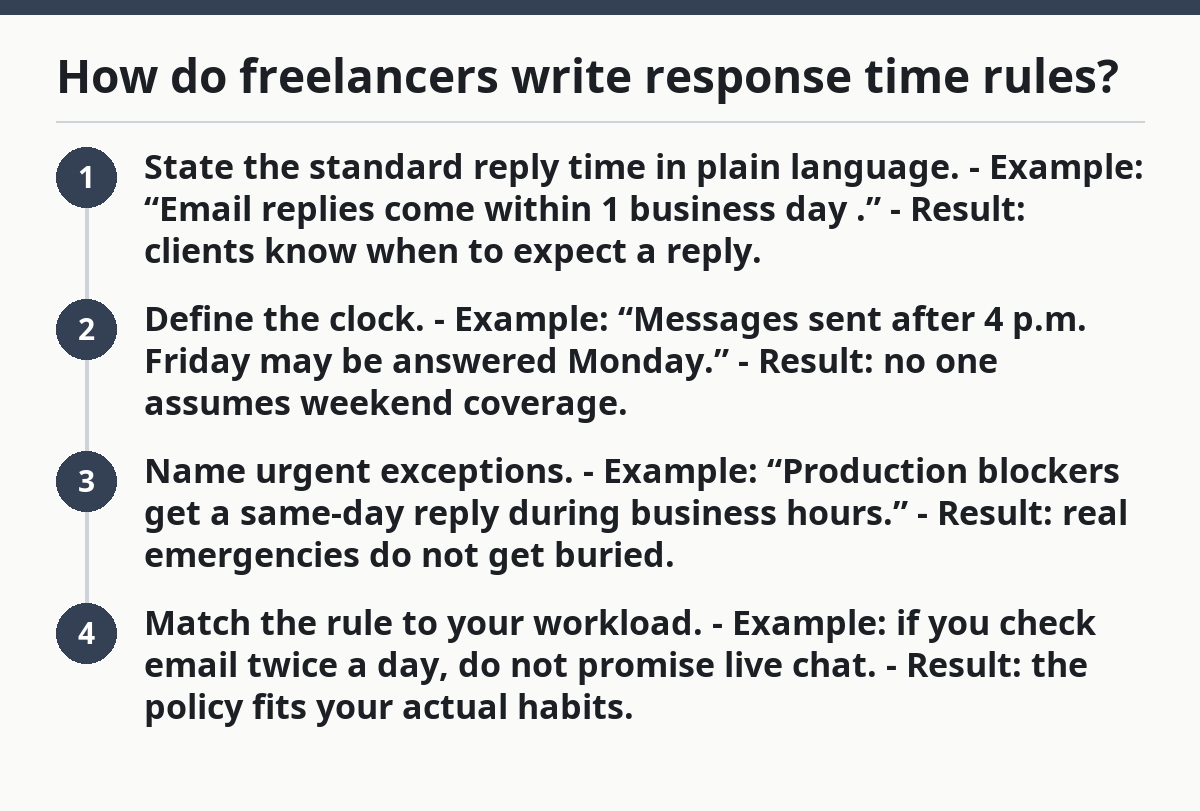
Freelancers write response time rules by naming a normal reply window, then making exceptions only for true urgent issues. A simple rule like “I reply within 1 business day” works better than a vague “I’ll get back to you soon.”
Picture this: you’re trying to protect your focus while still looking reliable. If your policy says “same day,” many clients will read that as “within a few hours,” so be specific about what the clock means. Use business days, not calendar days, if you don’t answer on weekends.
- State the standard reply time in plain language.
– Example: “Email replies come within 1 business day.”
– Result: clients know when to expect a reply. - Define the clock.
– Example: “Messages sent after 4 p.m. Friday may be answered Monday.”
– Result: no one assumes weekend coverage. - Name urgent exceptions.
– Example: “Production blockers get a same-day reply during business hours.”
– Result: real emergencies do not get buried. - Match the rule to your workload.
– Example: if you check email twice a day, do not promise live chat.
– Result: the policy fits your actual habits.
A strong response-time rule also keeps you from overexplaining every delay. If the client knows your window, you do not need to send a status note every time you step away for two hours. That is the point.
The truth is, a fast reply and a fast solution are not the same thing. Say you acknowledge messages within 24 hours, but larger answers may take longer because you need to review files or make edits. That distinction keeps your policy honest.
Which communication channels should you use?
You should choose one main channel for routine communication and one backup for urgent issues. Most freelancers do best with email for normal work and a project tool or text message for truly time-sensitive problems.
Picture this: you’re juggling revision notes, file links, and meeting times across three apps. The policy should make one channel the home base so you are not hunting for decisions later. Clients do better when they know where the official record lives.
- Email works well for approvals, feedback, and summaries.
- Project tools work well for tasks, comments, and file history.
- Phone or text should usually be reserved for urgent matters.
- Shared docs can work for editing, but they should not replace a record of decisions.
A good policy says what each channel is for. If email is the default, then project comments can be for in-file notes and a call can be for complex discussion only. That keeps message sprawl under control.
Common channel mistakes
- Using too many channels for the same topic.
- Letting text messages become the default work channel.
- Treating chat threads as the only record of a decision.
- Answering on every app, which trains clients to use all of them.
Those mistakes cost time and make it hard to find the final version of a request. The fix is simple: name one place for normal communication and one place for exceptions.
On the flip side, if a client team already lives in one project management tool, it can make sense to meet them there. The policy should fit the project, but it should still be clear about where final answers belong.
How often should project updates happen?
Project updates should happen on a set cadence, such as weekly, biweekly, or at milestones, depending on the length of the job. A project that lasts 3 days and a project that lasts 3 months do not need the same update rhythm.
Picture this: you’re halfway through a website draft and the client is quiet. Without a planned update, they may start checking in just to see if the work is still alive. A scheduled project update stops that anxiety before it starts.
A useful update rule answers three things:
- What was finished since the last update?
- What is next?
- Is anything blocking progress?
That can be a short email, a note in a project tool, or a call summary. It does not need to be dramatic. Most clients want proof that the work is moving and a heads-up if a deadline might shift.
For longer projects, a weekly project update is often enough. For short assignments, one update at the midpoint or before delivery may be better. The right cadence is the one that keeps the client informed without pulling you into constant check-ins.
Here’s the catch: updates are not the same as approvals. If a client needs to sign off on a draft before the next step, say that clearly in the policy so they know when their input matters. That can prevent idle waiting on both sides.
What is the best meeting cadence for freelancers?
What is the best meeting cadence for freelancers? The answer depends on the project, but the lightest schedule that still keeps the project on track is usually the right one. For many projects, one 30-minute call a week is enough; for others, a kickoff call and milestone check-ins are all you need.
Picture this: you’re trying to protect deep work time, but the client wants to “touch base” every few days. A meeting cadence gives structure to that request, so calls happen by plan instead of by habit. Fewer meetings usually mean better work.
A strong policy names:
- how often meetings happen,
- how long they last,
- who needs to attend,
- what the meeting is for.
If a meeting is only for status, say so. If it is for approvals or direction, say that too. That way, nobody joins a call expecting design feedback when the call is really about timelines.
A practical rule is to tie meetings to project stages. For example, you might set one kickoff meeting, one midpoint review, and one final handoff call. That structure works well for many service projects because it keeps decisions moving without turning every question into a meeting.
Not every client needs a standing call. If written updates are enough, say that in the policy and save the meeting time for work that truly benefits from live discussion.
How do you handle urgent issues and escalation?
You handle urgent issues and escalation by defining what urgent means, who to contact, and what happens if the normal channel is too slow. A good escalation path gives the client a clear next step instead of a panic message sent everywhere.
Picture this: you’re offline for the evening and the client discovers a broken link, a missing file, or a last-minute launch issue. The policy should tell them exactly what to do and when that issue earns a faster response. Without that rule, every problem feels urgent.
Start with a simple definition of urgency:
- A launch blocker that stops the client from going live.
- A file error that creates a deadline risk.
- A missed deliverable that affects a scheduled release.
Then say how to escalate:
- Send the message in the main channel first.
- Mark it urgent only if it fits the definition.
- Use the backup channel only if it needs attention during business hours.
- Reserve calls or texts for issues that cannot wait.
The policy should also say what is not urgent. Routine feedback, style preferences, and general check-ins should stay in the normal queue. That line protects your time and keeps the urgent path useful when it really matters.
A clear escalation path makes clients calmer, not more demanding. They know the route, and you know what deserves interruption.
How to write the policy clients will actually read
You write the policy clients will actually read by keeping it short, concrete, and easy to scan in under a minute. If it looks like a legal brief, most clients will skip it and ask you the same questions later.
Picture this: you’re turning your rules into a page or a short section inside your contract. The policy should sound like a human wrote it, but it should still be specific enough that two people would interpret it the same way.
Use this order:
- Say the main communication channel.
- State your response time in business hours or business days.
- List your meeting cadence.
- Explain when project updates happen.
- Define urgent issues and escalation.
- Add the business hours you keep.
A clean policy often fits in a short block of 6 to 10 sentences or a compact bullet list. That is enough if each sentence carries one rule. Keep examples simple and real: “email,” “Friday after 4 p.m.,” “weekly update,” “same-day urgent reply.”
Avoid vague phrases like “as needed” unless you define what that means. Avoid soft language like “I’ll do my best” for the core rules, because clients will hear flexibility where you meant structure. State the rule, then state the exception if there is one.
The best part is that you do not need a perfect policy on day one. Start with the rules that solve the most friction, then tighten them after a few projects if the same problem keeps showing up.
What should a freelancer avoid in a communication policy?
A freelancer should avoid vague promises, too many channels, and rules that do not match real working hours. Those mistakes make the policy look friendly at first and painful later.
Picture this: you’re trying to sound flexible, so you write, “Reach out anytime and I’ll respond quickly.” That line feels helpful, but it creates an open-ended promise you may not want to keep. Clients read what you write, not what you meant.
Common mistakes and their costs:
- No response time: clients chase you sooner.
- No business hours: messages arrive at all hours.
- No channel rules: decisions get scattered.
- No update cadence: clients ask for status more often.
- No escalation path: minor issues get overtreated as emergencies.
The fix is to state a simple rule for each one. If you work Monday through Friday, say that. If you only answer email once in the morning and once in the afternoon, say that only if you truly mean it. If meetings are limited, say how many or when.
A policy that fits your real schedule will always work better than a “perfect” one you cannot keep. That is especially true for solo freelancers who need blocks of uninterrupted time to finish the work clients hired them for.
Should a freelancer set office hours for clients?
Yes, a freelancer should set office hours for clients if they want predictable boundaries around replies and meetings. Office hours make your communication policy easier to follow because they tell clients when you are available and when you are off the clock.
Picture this: you’re balancing client work with delivery dates, and messages keep arriving at random times. Office hours turn availability into a known window, which helps clients plan their questions and helps you protect your work blocks. A simple schedule is better than an always-on promise.
A useful office-hours rule can be as simple as “Monday to Thursday, 9 a.m. to 5 p.m.” You do not need long explanations. You do need consistency, because clients learn the pattern fast.
If your work spans time zones, note the time zone in the policy. If you take Fridays off for production work, say so. The point is to make your availability obvious before someone assumes otherwise.
FAQ
What should a client communication policy include?
A client communication policy should include your main channel, response time, business hours, meeting cadence, project update rhythm, and escalation path.
Drafted with AI; not yet reviewed by a person.