
Last updated: November 19, 2026
In short: if you need to track partial payments and deposits from clients, use one partial payment ledger so you can see what was paid, what is still due, and what needs reconciliation. Quick answer: one ledger, one balance, and one reconciliation check per week is enough for many small client jobs. This page shows the steps, the fields to keep, and the mistakes that cause unpaid balances to slip away.
Key Takeaways
- Keep one ledger beside the original job so payment records do not get scattered.
- Record every deposit or installment against the same job until the balance reaches zero.
- A deposit invoice should show the deposit, the total, the remaining balance, and the due date.
- Update the balance after each payment and compare it with the last invoice sent.
Start with one place for every payment

Picture this: you’ve sent a 50% deposit invoice, the client paid half, and a week later a second transfer lands with no note. You need one place where each payment sits beside the original job, not scattered across emails, bank feeds, and a spreadsheet tab.
The safest starting point is a partial payment ledger with one row per job and one line per payment event. That can live in a spreadsheet or a bookkeeping app; the tool matters less than the fields. Keep the job total, deposit due, payment date, payment amount, invoice number, and remaining balance in the same view.
Use this setup before the work starts:
- Client name
- Job or project name
- Original contract total
- Deposit requested
- Milestone dates or payment schedule
- Invoice number for each bill
- Amount received
- Date received
- Balance due
- Payment method
- Reconciliation status
If those fields exist, you can answer a client in 10 seconds instead of digging through six messages. If they do not, you will miss a balance or duplicate a receipt.
A simple rule helps: every payment should point back to one invoice, one job, and one balance. That is the whole job of the ledger.
How do I track partial payments from clients?
You track partial payments from clients by recording each deposit or installment against the same job until the balance reaches zero. The cleanest way is to create one master line for the contract and then add a payment line every time money arrives.
Here’s the catch: the first payment is not the finish line. It is the first change in the balance due, and that balance has to stay visible until the final payment clears.
Follow these steps in order:
-
Create the job record first.
Open one row or file for the project before you invoice. Add the contract total, start date, and expected finish date. When this works, you can see the full price without opening a second file. -
Issue a deposit invoice if the job needs upfront money.
Write the deposit amount on its own invoice, not as a vague note in an email. A client should see the charge, the due date, and the job it applies to. When this works, the invoice total matches the amount you expect to collect now. -
Log each payment on the date it arrives.
Enter the payment amount, method, and reference number the same day it lands. That includes ACH, check, card, or bank transfer. When this works, your ledger shows a running total instead of a pile of old due dates. -
Reduce the balance due immediately.
Subtract the payment from the invoice or contract balance. If the job is $4,000 and the client pays $1,000, the open balance should show $3,000. When this works, the remaining amount is obvious at a glance. -
Attach the payment to the right milestone invoice.
For milestone billing, match each installment to the stage it belongs to, such as draft approved, design complete, or final delivery. Consult a qualified bookkeeping or tax professional on the exact treatment, and refer to guidance from the IRS on recordkeeping and payment timing. When this works, you can trace which work was paid for and which stage still needs billing. -
Mark the record as paid in full only after the final payment clears.
Do not close the job when a promise arrives or when a check is mailed. Close it when the money is actually in the bank and the ledger balance hits zero. When this works, the job record and bank balance agree. -
Reconcile the ledger against the bank feed.
Compare the amounts in your spreadsheet or bookkeeping app with the deposit lines in the bank account at least once a week. When this works, every client payment has a matching deposit on the statement.
The truth is, most missed payments start as messy timing, not fraud. A ledger that gets updated on the day money arrives fixes that.
What should a deposit invoice show?
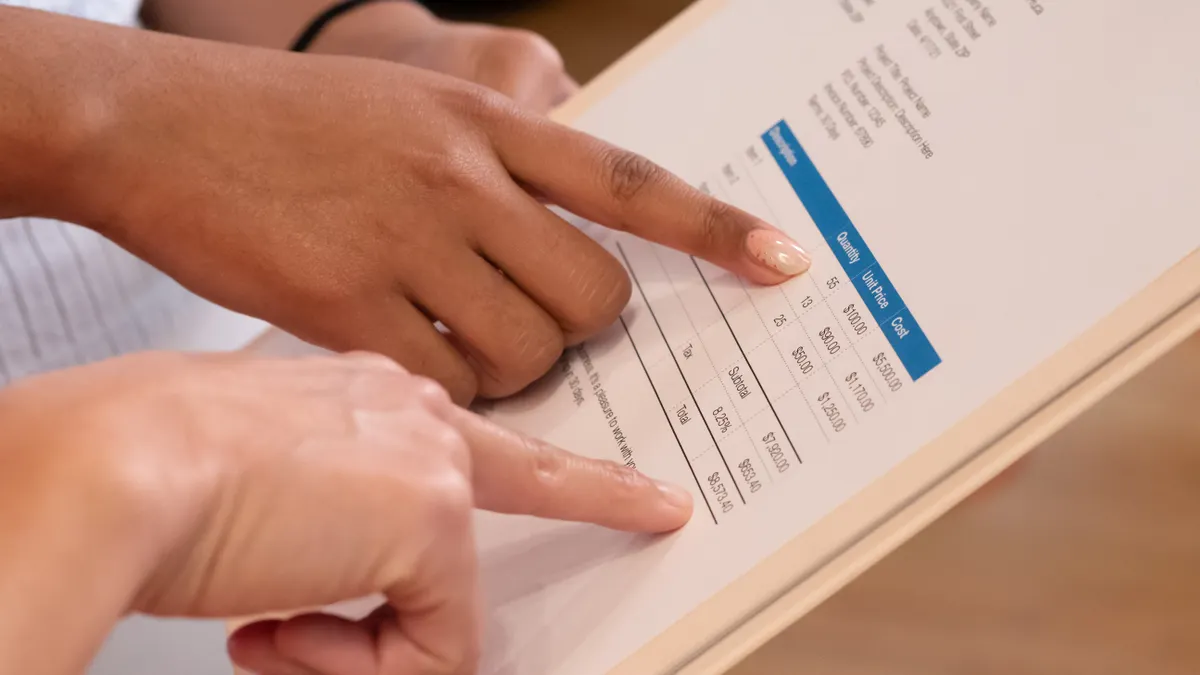
A deposit invoice should show the deposit amount, the full job total, the balance left after the deposit, and the date the payment is due. It also needs a clear label that says the charge is a deposit, not the final bill.
A deposit can confuse clients if the invoice looks like the whole job is due now. That mistake causes partial payments to sit in limbo. Clear labels prevent that.
Use these items on the invoice:
- The words deposit invoice
- The project name
- The full contract amount
- The deposit amount due now
- The remaining balance after payment
- The due date
- The payment method or link
- The invoice number
If you bill in stages, make each milestone invoice just as clear. A milestone invoice should name the stage being billed, such as “50% after first draft” or “30% on launch prep.” That way the client can tell whether the payment is for a deposit or for completed work.
Here is a simple example of the math:
- Contract total: $6,000
- Deposit: $2,000
- Balance after deposit: $4,000
That math should appear somewhere in your records even if the invoice only shows the deposit. The ledger carries the full picture; the invoice carries the current bill.
How do I keep balance due tracking from drifting?
You keep balance due tracking from drifting by updating the balance after every payment and checking it against the last invoice sent. If the balance in your records and the balance on the invoice do not match, stop and fix that before the next bill goes out.
Picture this: a client pays a $750 installment, but the ledger still says the open balance is the old amount. A month later you send a duplicate bill for money they already sent. That is how trust gets damaged over a simple math error.
Use a balance check routine:
- Start with the original contract total.
- Subtract each payment as it arrives.
- Compare the current balance to the last invoice balance.
- Update the record after refunds, credits, or fee reversals.
- Save the new balance before sending the next reminder.
A spreadsheet makes this easy with formulas. A bookkeeping app does the subtraction for you, but only if the payment is matched to the right customer and invoice. Either way, the number you care about is the amount still due today, not the amount due when the project started.
One useful standard here is a weekly review. Every 7 days, scan open jobs and sort by oldest balance due. That keeps one small unpaid deposit from sitting for 6 months.
How do I handle milestone billing without losing the trail?
You handle milestone billing by treating each milestone as its own billing event inside one job record. Each milestone needs a date, a trigger, an amount, and a link to the work that made it billable.
This is where many generic articles go wrong: they talk about invoices as if there is only one. For project work, there may be a deposit, two milestone invoices, and a final balance all on the same contract. If those pieces are merged, you lose the trail.
Set up each milestone with these four parts:
- Milestone name
- Work trigger
- Amount due
- Payment status
For example, a three-stage project might look like this:
- Deposit due at contract signing
- First milestone due after draft approval
- Final balance due after delivery
That structure makes reconciliation much easier. When a payment lands, you know whether it closes the deposit, a milestone invoice, or the final invoice. It also helps if a client asks for proof of what they already paid for.
Use an accounts receivable view if your bookkeeping app has one. That view shows open invoices and unpaid balances in one place, which is cleaner than scrolling through old messages. If you do not have that feature, a spreadsheet with one line per invoice works just as well.
How do I reconcile deposits and partial payments with the bank?
You reconcile deposits and partial payments with the bank by matching each payment record to the bank deposit line and clearing anything that does not match. The goal is simple: your ledger and the bank statement should tell the same story.
On the flip side, a bank feed alone is not enough. A deposit from a client may arrive with a processor fee deducted, may be grouped with other payments, or may post a day later than you expected. If you rely on the bank balance alone, your open invoices will drift.
Use this 5-step check each week:
- Open the bank feed or statement.
- Match each client payment to a ledger entry.
- Check the amount, date, and reference.
- Note fees, refunds, or split deposits.
- Mark the item reconciled only when the ledger and bank line agree.
If you use payment processors, keep the gross payment and the fee separate in your records. A $1,000 client payment that lands as $970 after a $30 fee is not the same as a $970 client payment. Those are different entries and should not be collapsed into one line.
For formal bookkeeping support, the accounting standard that matters most is consistency: use the same method for every client and every month. That habit keeps year-end reports cleaner and cuts down on missing entries.
A small source of confusion is timing. A payment may count as received in your ledger on Monday and clear the bank on Wednesday. That is normal. Just label it as received, pending, or reconciled so you know which stage it is in.
What mistakes cause partial payments to go missing?
Partial payments go missing when the ledger is incomplete, the invoice label is vague, or the balance is not reduced right away. The mistake costs time first, then cash, then trust.
Picture this: you open a month of bank deposits and see four small transfers with no notes. If your system does not show which job each one belongs to, you will spend an hour matching the money to the right client. That is not bookkeeping. That is recovery work.
Watch for these common errors:
- No deposit record. Cost: you cannot tell whether the first payment was received. Fix: log the deposit invoice before the project starts.
- One combined balance for multiple jobs. Cost: one client payment can get credited to the wrong project. Fix: keep a separate ledger line for each job.
- Late entry. Cost: reminders go out after payment already arrived. Fix: update the record the same day.
- No milestone labels. Cost: you cannot explain what the client paid for. Fix: name the stage on the invoice and in the ledger.
- No reconciliation step. Cost: a bank fee or missed transfer hides in plain sight. Fix: compare records to the bank every week.
Most of these problems are boring to fix and easy to prevent. A 15-minute weekly review catches more errors than a cleanup at tax time.
Which tool should I use: spreadsheet or bookkeeping app?
A spreadsheet is enough if you have a small number of clients and want full control over every line. A bookkeeping app is better if you need invoice matching, bank feeds, and accounts receivable in one place.
If your work has 3 to 10 open projects at a time, a spreadsheet can stay readable. Use columns for invoice number, deposit, payments received, remaining balance, and reconciliation status. If you start managing dozens of partial payments, formulas and filters become hard to trust unless you are disciplined.
A bookkeeping app helps when:
- You send milestone invoices often
- You need bank reconciliation
- You want open invoices visible at a glance
- You split one contract across several payments
A spreadsheet helps when:
- You want a simple audit trail
- You only need a few fields
- You prefer to see the math yourself
- You do not need automation
One caution: a tool will not save a weak process. A messy spreadsheet is still messy, and an app with bad labels is still bad records. Pick the system you will update the same day you get paid.
For a broader workflow, the hub on freelance income and payment operations sits naturally beside this page, because tracking money is easier when the whole process is wired together.
FAQ
How do I record a client deposit?
A client deposit should be recorded as its own payment against the related job and invoice. Enter the date, amount, invoice number, and the remaining balance right away, then mark the payment as deposit so it does not get confused with the final bill.
That record gives you a clean paper trail if the client asks what the deposit covered. It also keeps the ledger and bank feed aligned when the rest of the project is billed later.
How do I track installment payments?
Installment payments should be tracked as separate entries under the same contract or project until the balance reaches zero. Each installment needs its own date, amount, and milestone label if the job uses staged billing.
That way you can see what has been paid for each phase and what is still open. If the next installment is late by even 7 days, the ledger will show it without guesswork.
Do partial payments count as income when received?
Partial payments usually count as income when received if you record on a cash basis, but the treatment can change with your setup and local rules. The ledger should still show the money as received on the day it lands.
If you report income in a different way, or if the payment includes a deposit that will later be refunded, consult a qualified accountant and check IRS guidance before deciding how to book it.
Drafted with AI; not yet reviewed by a person.