Last updated: August 11, 2026
A freelancer with 37 transactions a month can get away with a lot less software than someone juggling invoices, bank feeds, and year-end cleanup. So the real choice is blunt: spreadsheet, app, or accountant? My answer stays simple. Use a spreadsheet when your business is tiny and mostly cash-in. Use an app if you send invoices, reconcile bank activity, and want less manual work. Bring in an accountant when your books are getting messy, tax time is painful, or you need a second set of eyes before things snowball. For many freelancers, the best bookkeeping method comes down to volume — and once monthly transactions start piling up, an app usually hits the sweet spot.
Some links here are partner links. It costs you nothing and may pay us a commission.
Quick Answer: For most freelancers, an app is the best middle ground; if you have fewer than 20 transactions a month, a spreadsheet can still work, and if your books are behind by more than one tax year, an accountant is usually the faster fix.
- Spreadsheet: lowest cash cost, highest manual effort.
- App: best fit once invoices, bank feeds, and reconciliation matter.
- Accountant/bookkeeper: best for cleanup, tax prep, and complex records.
- The IRS says good recordkeeping is essential for income, deductions, and audit support.
- As of writing, several popular tools use trial or tiered pricing rather than one flat plan.
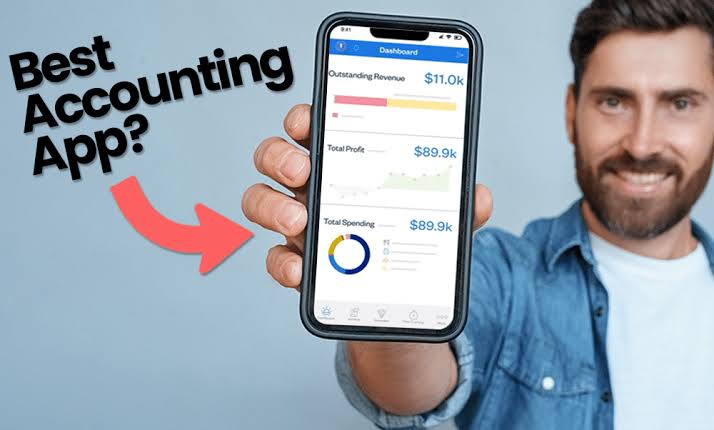
Honestly, I look at workflow before marketing claims. Fancy screenshots are nice. They do not file taxes. The right choice is the one you will still use after your busiest month, not the one that dazzles in a demo. For many freelancers, that means picking the tool that saves 2 to 5 hours a month, even if it looks a little plain on paper.
| Tool | Best for | Free tier? | Starts at | Where to start |
|---|---|---|---|---|
| Google Sheets / Excel | Bare-bones bookkeeping, low transaction volume, simple solo work | Yes | Free or included with your office suite | Start with a spreadsheet template and a separate business bank account |
| Wave | Freelancers who want basic invoicing and bookkeeping without a big learning curve | Yes, as of writing | Check current plans | Start with the free bookkeeping and invoicing setup |
| QuickBooks Online | Freelancers who want stronger bank feeds, reporting, and room to grow | Usually no meaningful free bookkeeping tier | Check current plans | Start with the free trial and connect one bank account first |
| Xero | Freelancers who want clean bank reconciliation and good app integrations | No free bookkeeping tier in most markets | Check current plans | Start with the trial and test reconciliation |
| FreshBooks | Service freelancers who bill by time or project and want easy invoicing | Trial only, as of writing | Check current plans | Start with invoicing and time tracking before importing old data |
| A bookkeeper/accountant | Freelancers with tax complexity, multiple income streams, or late books | N/A | Usually monthly or per project | Start by asking for cleanup, monthly bookkeeping, or tax prep only |
How I compared them
No lab coat. No fake benchmark. I compared these tools the way a freelancer feels them in real life: how much manual work they erase, how ugly they get when transactions stack up, and how much cleanup they create at tax time.
I judged them on the jobs freelancers actually face:
- categorizing income and expenses
- matching bank activity
- sending invoices
- tracking what clients still owe
- separating business and personal spending
- exporting records for tax time
- handing the work to a professional when it stops being a DIY job
There is a hidden bill, too. A spreadsheet looks free until Sunday night disappears into formulas. An app looks easy until the feature you need sits behind a higher plan. An accountant seems pricey until you count the hours lost repairing a year of bad records. That math stops working fast.
For bookkeeping guidance, I would keep the IRS recordkeeping page and the Small Business Administration’s basic bookkeeping advice close at hand. They are not software reviews, but they explain why clean records matter in the first place: the IRS recordkeeping page is here: https://www.irs.gov/businesses/small-businesses-self-employed/recordkeeping and the SBA bookkeeping overview is here: https://www.sba.gov/business-guide/manage-your-business/keeping-records. The IRS guidance was updated in 2024 — a useful reminder that recordkeeping rules do not sit still.
Best overall for most freelancers: QuickBooks Online

QuickBooks Online is the one I’d choose for the widest group of freelancers who want to stop doing bookkeeping by hand and still have room to grow.
It fits solo service providers, consultants, designers, writers, developers, and anyone with regular bank transactions who sends invoices and wants reports good enough for tax prep without living in a spreadsheet. Skip it if you barely have any transactions, hate subscription software, or only need a simple way to track a handful of invoices each month. Simple sometimes wins.
Pros
- Bank feeds reduce manual entry.
- It handles invoicing, expense categorization, and basic reporting in one place.
- It scales better than a spreadsheet when your month gets busy.
- Many accountants already know it, which matters when you need help.
- There’s a wide ecosystem of integrations, which is useful if you already use payment processors, time trackers, or receipt tools.
Cons
- It can feel heavier than a freelancer needs if your books are simple.
- Some features that look basic are gated behind higher plans.
- The interface can become crowded as you add accounts and workflows.
- It is easy to pay for capabilities you don’t actually use.
Pricing reality
As of writing, QuickBooks Online is typically sold in tiers rather than one flat plan. The free tier is not the real story here; the value is in the paid plans that unlock bank feeds, reporting depth, and user access.
The upgrade pressure usually comes from needing cleaner bank reconciliation, stronger reports, or support for a bookkeeper. In the US market, plans have commonly started in the low tens of dollars per month and moved up as features are added, so even a small business can feel the jump over a full year. Add a second user and the bill can snowball; for a team of five freelancers or collaborators, per-seat or per-user costs stack up quickly in the higher tiers and add-ons. That is where a “good enough” setup gets expensive.
The lock-in question
Yes, you can export data, but moving out is not frictionless. You can usually pull reports and lists, yet a clean exit often means losing some of the structure around transactions, attachments, and workflows. If you leave after years of use, expect some cleanup in the next system.
Where to start
Start the free trial and connect one business bank account first. If the bank feed and categorization feel tolerable after a week of real transactions, you’re in the right neighborhood. Current plans are here.
Best free option: Wave
Wave is the one I’d point to when a freelancer wants basic bookkeeping and invoicing without committing to a paid app right away.
It suits brand-new freelancers, side hustlers, and low-volume solo businesses that mostly need to send invoices and keep a clean record of income and expenses. I’d skip it if you need deep project accounting, complex reporting, or a workflow that your accountant can control without extra handholding.
Pros
- Easy entry point for people who hate bookkeeping software.
- Good enough for basic invoicing and expense tracking.
- The free path lowers the risk of getting started.
- It feels less intimidating than the bigger accounting suites.
Cons
- It is not the tool I’d choose for a freelancer whose books are already tangled.
- Advanced needs can force you to look elsewhere sooner than you expect.
- If your work grows into multi-person collaboration or more complex reporting, you may outgrow it.
- Support and feature depth can feel thinner than paid-first accounting platforms.
Pricing reality
Wave is attractive because the core bookkeeping/invoicing path has historically been free, as of writing, but that is exactly why you should read the plan details carefully. The moment you need payment processing, payroll, or more advanced features, the economics change.
For a team of five, free bookkeeping sounds nice until you need coordination, permissions, and professional oversight. Then the real cost is not seats alone; it is the time spent making a lightweight tool behave like a serious system.
The lock-in question
You can export records, but the smaller the platform, the more you should think about what happens if you outgrow it. In practice, the painful part is not exporting a CSV. It is recreating your chart of accounts, tax categories, and invoice history in the next app without breaking your records.
Where to start
Start with the free bookkeeping and invoicing workflow, then test whether it keeps up with one month of real business activity. If you’re already dreading migration, stop and compare alternatives now. Begin with the free trial.
Best for clean bank reconciliation: Xero

Xero is the pick I’d make for freelancers who want tidy books, strong reconciliation, and a platform that plays nicely with other tools.
It works well for service businesses that want a cleaner accounting backbone than a spreadsheet and prefer a calmer interface than some of the heavier small-business suites. I’d skip it if you want the cheapest possible setup or if you need hand-holding through every bookkeeping decision. Not for the indecisive.
Pros
- Bank reconciliation is one of its strongest points.
- The interface is generally easier to live in than many accounting tools.
- It connects well to outside apps, which matters if your workflow spans invoicing, payments, and receipts.
- It suits freelancers who want their books to stay organized without constant cleanup.
Cons
- It usually does not feel like the bargain option.
- Some users will need time to learn the terminology and workflow.
- If your books are simple, some of the polish can feel like more software than you need.
- Add-ons can quietly expand the monthly bill.
Pricing reality
Xero is generally sold in tiers, and the step-up usually comes when you need more invoices, more bills, more users, or more advanced workflow. As of writing, there is no real free bookkeeping tier for most freelancers. That makes it a better fit for people who know they will use the software often enough to justify the subscription.
For a team of five, the monthly cost grows with seats and add-ons, so it is worth checking whether you actually need five full users or just one bookkeeper plus shared access.
The lock-in question
Xero does allow data export, but moving away from any accounting platform takes planning. The part that hurts later is not the raw transaction list. It is the combination of reconciled history, attached receipts, and settings that do not recreate themselves cleanly in another system.
Where to start
Start the trial and run your last month of bank transactions through reconciliation before you commit. If that feels clean, Xero is likely a good fit. Check current plans.
Best for invoice-heavy freelancers: FreshBooks
FreshBooks is the one I’d choose for freelancers who live and die by client invoicing, time tracking, and simple service workflows.
It is a strong fit for consultants, creatives, and contractors who care more about getting paid quickly and keeping invoices organized than building a full accounting system from scratch. I’d skip it if your main problem is complicated bookkeeping rather than client billing. Different problem, different tool.
Pros
- Invoicing is the center of the experience, which suits service freelancers.
- Time tracking and client-facing billing are easier to understand than in many accounting-first tools.
- It can reduce the friction between work performed and money billed.
- Good for people who want to spend less time formatting invoices by hand.
Cons
- It is not the deepest bookkeeping engine on this list.
- You may hit limits faster if you want more than simple billing and expense tracking.
- Reporting can feel lighter than what a tax-focused user wants.
- If your business has grown messy, FreshBooks may cover the symptoms instead of the problem.
Pricing reality
FreshBooks is usually used via paid tiers, with the free experience limited to a trial or a narrow starter path as of writing. The upgrade is usually forced by the number of clients, the invoicing features you need, or the reporting depth you want.
A team of five can become awkward if everyone wants access to the same billing workflow, because seat costs and feature gates can make a “simple” invoicing tool less simple very quickly.
The lock-in question
You can export invoices and records, but switching away means rebuilding your billing history and making sure payments, time entries, and customer notes are preserved somewhere useful. That matters more than people expect when tax time rolls around.
Where to start
Start the free trial and test the invoicing flow with one real client. If it saves time without making your books vague, that is the signal you need. Start the free trial.
Best for the DIY minimalist: Spreadsheet
A spreadsheet is still the right answer for freelancers with low transaction volume who want full control and do not mind doing the work themselves.
It suits side hustlers, new freelancers, and anyone with a small number of invoices and expenses each month. I would skip the spreadsheet if you routinely forget to categorize transactions, if your bank account mixes personal and business spending, or if you need automation to stay current. Honestly, the break point arrives sooner than people expect.
Pros
- Cheap to start.
- Flexible enough to track exactly what you care about.
- Easy to customize for odd workflows.
- No software to learn beyond the basics.
Cons
- Manual entry gets old fast.
- Errors are easy to introduce and hard to spot.
- Bank reconciliation is clunky unless you build a disciplined process.
- It does not scale well once your volume grows.
Pricing reality
The real “price” of a spreadsheet is your time. If you spend an hour or two every month fixing formulas, hunting missing receipts, or rebuilding a template, the free option stops feeling free. For a team of five, spreadsheets are usually where collaboration turns into confusion unless one person owns the file and the rules.
The lock-in question
This is the easiest tool to export from because the data usually lives in a common file format. The catch is that your logic, formulas, and categories do not always travel neatly into software later. Leaving a spreadsheet is less about exporting the file and more about rescuing the process.
Where to start
Start with a simple template, one tab for income, one for expenses, and one for mileage or other deductible categories you actually use. If that feels manageable after a month, you may not need software yet. If it feels annoying by week two, move on. Visit current plans for the app route before the mess gets bigger.
Best for freelancers who want human judgment: Accountant
An accountant or bookkeeper is the best choice when your problem is no longer “how do I track this?” but “I need someone to clean this up and keep me out of trouble.”
This is the right path for freelancers with multiple income streams, backlogged books, sales tax concerns, mixed personal and business spending, contractor payments, or a year-end panic you do not want to repeat. I’d skip the accountant-only approach if your records are simple and you enjoy staying hands-on, because you may be paying for expertise you do not need every month. Fair trade-off, though.
Pros
- Human judgment helps with messy categories and edge cases.
- Cleanup can save hours if your books are behind.
- They can advise on tax prep, recordkeeping, and process.
- A good bookkeeper can set up a system you can actually maintain.
Cons
- It costs more than DIY tools.
- Quality varies a lot by provider.
- You may still need software for day-to-day tracking.
- Some freelancers only need occasional help, not full-service bookkeeping.
Pricing reality
A basic bookkeeping engagement can run monthly, quarterly, or as a one-time cleanup project, and the hourly or flat rate depends on the complexity of the books. If your records are only mildly messy, a short cleanup may be enough. If you are a full year behind, the price usually reflects the amount of sorting, not the number of receipts alone. For a team of five, professional help can still be cheaper than having everyone spend hours untangling the same file.
The lock-in question
The lock-in issue here is people, not software. If your accountant builds the whole process for you, ask how records will be exported, who owns the files, and what happens if you switch providers later. That conversation takes ten minutes and can save a lot of friction.
Where to start
Start by asking for cleanup, monthly bookkeeping, or tax prep only, instead of buying a bundled package you do not need. If the scope is clear, the relationship is usually easier to manage. Check current plans if you still want software to sit underneath the human help.