
Last updated: November 19, 2026
Quick Answer: A freelance invoice gets paid faster when it is clear, specific, and easy to approve: use one page, include the amount due, and state the payment deadline up front.
Key Takeaways
- A strong freelance invoice includes the job details, the amount due, and clear payment timing.
- You create a freelance invoice by listing the project at the top, naming the work clearly, and stating the due date.
- A freelance invoice should include the parties, the work, the amount, the timing, and the payment rules.
- You set payment terms by choosing a deadline that fits the job, then writing it plainly near the total.
A freelance invoice gets paid faster when it is easy to read, hard to misunderstand, and specific about when money is due. This guide on How to Create a Freelance Invoice That Gets Paid Faster shows how to build a clearer invoice, use the right payment terms, and reduce delays.
What a strong freelance invoice needs before you start
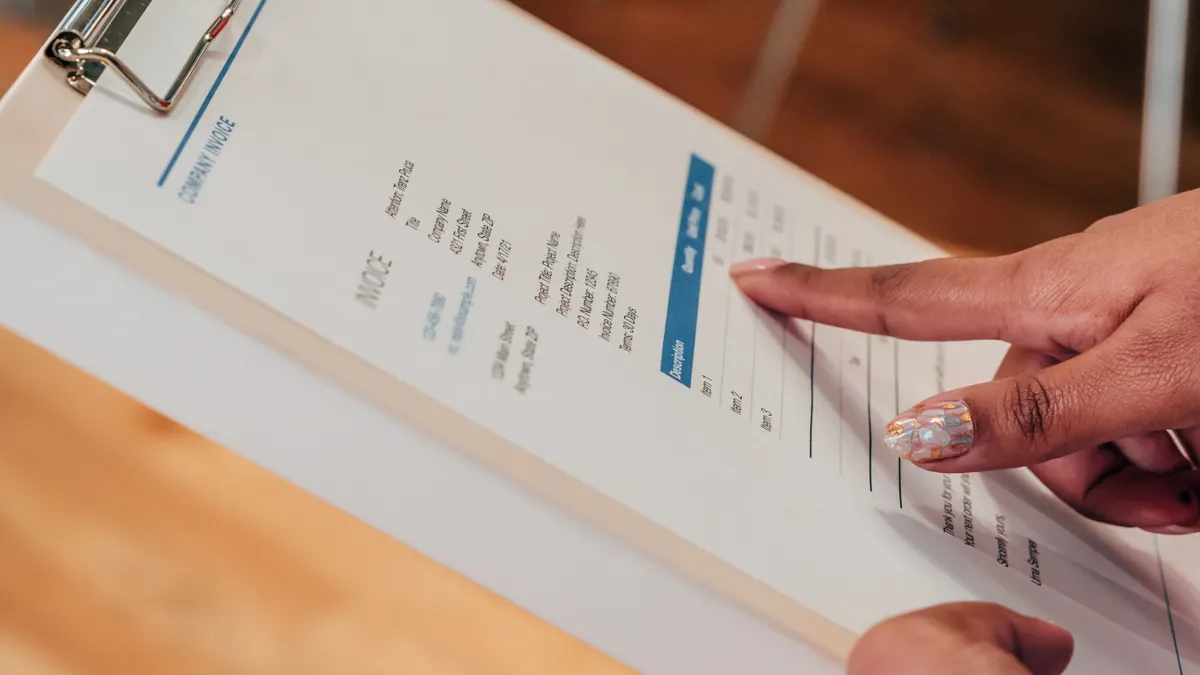
A strong freelance invoice needs the basic job details, the exact amount owed, and the terms that tell the client when and how to pay. Before you write anything, gather the client’s legal name, the project name, the invoice date, the due date, the agreed price, the scope of work, and the payment method you accept.
If you do not have that information in front of you, stop and pull it together first. An invoice written from memory is where delays begin: names get shortened, deliverables get vague, and the due date gets buried in a paragraph. Those are the invoices that sit in an inbox for 10 days because someone has to ask a follow-up question.
The cleanest format is simple enough to skim in under 30 seconds. That usually means a one-page invoice, a clear invoice number, a short description of the work, and a total amount that is easy to spot without scrolling. A freelancer who works with recurring projects can use the same structure every time and swap in the new dates and line items.
If you need a starting point, use an invoice template and keep it plain. A template should save time, not decide your wording for you. The best templates let you edit the payment terms, late fee language, and scope of work so each invoice matches the project.
One useful standard to know is a numbered invoice sequence, such as INV-2024-018 or 2025-003. The exact format matters less than consistency. A client who sees the same style on every bill can match it to the right project faster, which helps avoid “Which invoice is this?” delays.
How do you create a freelance invoice step by step?
You create a freelance invoice by putting the project details at the top, naming the work clearly, and stating exactly when payment is due. The order matters because the reader should see the who, what, and when before any fine print.
- Start with your business name and contact details. Put your name, email address, and any business name at the top, then add the client’s legal name beneath it. A complete header helps the invoice look official and reduces back-and-forth if accounts payable needs to confirm who sent it.
- Add a unique invoice number and invoice date. Use one number per invoice, such as 2025-014, and date it the day you issue it. The result should be a document that can be tracked in a spreadsheet or folder without guessing which version is current.
- Write a short project title and scope of work. Name the job in plain language, such as “March blog articles” or “Logo redesign final round,” then describe the deliverable in one or two lines. This keeps the invoice tied to the agreed work instead of sounding like a generic bill.
- List the amount due in a visible line item. Show the quantity, rate, and subtotal if you charge by the hour or by deliverable. If you charge a flat fee, list the flat fee once and avoid burying it under extra text. The reader should be able to find the total in a single glance.
- State your payment terms and due date. Write “Due upon receipt,” “Net 15,” or “Due by 15 June 2026,” and place it near the total. A clear due date does more than etiquette: it removes the excuse that the payment window was unclear.
- Add your accepted payment method. Include the exact method or methods you accept, such as bank transfer, check, or a payment portal. When the method is obvious, the client does not need to ask how to pay before approving the invoice.
- Include a late fee line if you use one. Put the late fee terms in one sentence so they are visible before the due date passes. A straightforward line such as “Late payments are subject to a 1.5% monthly late fee” can discourage forgetfulness, but only if you are prepared to enforce it consistently.
- Review the final PDF or file for friction. Check that the total matches the agreed price, the due date is readable, and the invoice number is unique. A final 60-second review catches the little errors that cause days of delay.
A polished invoice does not need design tricks. It needs fewer distractions than the average email. If a client has to decode your invoice, it is already slower than it should be.
What should be included on a freelance invoice?
A freelance invoice should include the parties, the work, the amount, the timing, and the payment rules. That is the core set that gets a bill approved without a second email.
At minimum, include:
- Your name or business name
- The client’s legal name
- A unique invoice number
- Invoice date
- Due date
- Project scope or work description
- Line items or flat fee
- Total amount due
- Payment terms
- Late fee, if applicable
- Tax line, if relevant to your setup
The scope of work is one of the most overlooked parts. A vague line like “Services rendered” forces the reader to guess what was delivered. A stronger version can be as specific as “Four 800-word blog posts, edited and delivered in Google Docs” or “Brand style guide draft and two revision rounds.” That level of detail is useful because it confirms the invoice is tied to a specific deliverable, not a fuzzy memory.
The tax line should be treated carefully, and you should consult a qualified tax professional or local tax authority if your situation is unclear. If a tax applies to your invoice, show it separately rather than folding it into the total. That keeps the invoice easier to audit and reduces confusion. If tax treatment is unclear for your situation, talk with a qualified tax professional instead of guessing. I am not giving tax advice here, and the right setup depends on jurisdiction and business structure. See IRS guidance on records and invoicing basics at https://www.irs.gov/businesses/small-businesses-self-employed/recordkeeping.
A clean invoice also avoids clutter that slows approval. You do not need a long biography, a sales pitch, or a paragraph about your availability. Those details belong elsewhere. The invoice’s job is to make payment obvious in one page.
For a useful external reference on invoice basics, the U.S. Small Business Administration has guidance on invoicing and payment terms on its business payment pages, and the International Organization for Standardization publishes the ISO 20022 family for payment-related data standards. Those are not templates you must copy, but they show why clarity and consistent fields matter. See https://www.sba.gov/business-guide/plan-your-business/manage-your-business and https://www.iso.org/standard/55026.html.
How do I set payment terms on an invoice?
You set payment terms on an invoice by choosing a deadline that matches the job, then writing it in plain language near the total. The best term is the one the client can understand instantly, not the one that sounds most formal.
Common payment terms include:
- Due upon receipt: payment is expected right away
- Net 7: payment is due 7 days after the invoice date
- Net 15: payment is due 15 days after the invoice date
- Net 30: payment is due 30 days after the invoice date
- Fixed date: payment is due on a specific calendar date
Pick one term and use it consistently. If a small project usually clears quickly, “Due upon receipt” or “Net 7” may be enough. If the client has a monthly approvals cycle, a fixed date can be easier to manage because both sides know exactly when payment should land.
The main trade-off is speed versus flexibility. Shorter terms can improve cash flow, but they may be unrealistic for larger organizations that route invoices through more than one approver. Longer terms can make payment easier for the client, but they also leave you waiting. If a project is large or custom, avoid writing a vague phrase like “payable soon” because it leaves too much room for interpretation.
Put the term in two places if needed: once near the total and once in a short terms section. That repetition is not clutter if it prevents a missed payment. A due date written only in the footer is easy to overlook. A due date next to the amount due is harder to miss.
If you send recurring invoices, keep the term structure the same from one invoice to the next. A repeatable format helps the client’s finance team process the bill faster, especially when they handle many invoices at once.
How should you word late fees without sounding messy?
You should word late fees in one direct sentence that tells the client what happens after the due date. A late fee works best when it is specific, visible, and simple enough that no one needs to interpret it.
A clear late-fee line might say:
- “Invoices unpaid after 7 days past the due date will incur a late fee of 1.5% per month.”
- “A flat late fee of $25 applies to invoices unpaid 10 days after the due date.”
The exact number or percentage should match your agreement and local rules. If you are unsure whether a late fee is enforceable in your jurisdiction, check with a qualified legal or accounting professional before using one. A fee that cannot be enforced is worse than no fee at all because it can make the invoice look careless.
The point of a late fee is not to punish every delay. It is to make the cost of ignoring the invoice visible before the deadline passes. That visibility can move a bill higher in the queue when the client is sorting 12 approvals and a dozen other vendor payments. It also gives you something concrete to point to in a follow-up message.
Do not hide the late fee in a dense paragraph of terms and conditions. Put it where the client will see it while reviewing the invoice total. A buried fee often causes the very argument it was meant to prevent.
If you dislike charging late fees, say so only if it still protects you. A softer approach can work for one-off, low-value projects, but it is a weak tool for bigger invoices or repeat late payers. The drawback is obvious: without a consequence, your due date can become a suggestion.
What invoice wording helps a client pay faster?
Invoice wording helps a client pay faster when it removes doubt about what was done, what is owed, and when payment is expected. The fastest wording is brief, concrete, and free of side comments.
Use phrasing that confirms the work without sounding defensive:
- “Website copy for homepage and services page”
- “Final edits to May newsletter series”
- “Design work completed per approved scope”
- “Payment due by 12 August 2026”
Avoid phrases that blur the job, such as “miscellaneous services” or “consulting support.” Those labels force the reader to ask what they are approving. A good invoice should sound like the work it represents.
The project scope should be narrow enough that the invoice cannot be mistaken for something else. If the client approved 3 social posts, do not invoice for “content creation” alone. The invoice should name the 3 posts or the exact campaign. That small change reduces the chance of a hold-up from someone who needs proof that the bill matches the original agreement.
I would also keep notes short when there is a dispute or revision history. The invoice is not the place for a long explanation. If a client owes for an approved revision round, say that and leave the rest out unless the terms require detail.
This is where a generic invoice often fails. It looks complete but leaves out the one thing the accounts person needs most: a reason to approve it quickly. When the scope, amount, and due date are all visible on the first page, the invoice can move through the system with fewer questions.
For the support page on this site, the broader billing system hub on freelance billing and client payment systems is the right place to connect invoicing with follow-up and collection habits. This page stays focused on the invoice itself.
Common invoice mistakes that slow payment
The most common invoice mistakes are vague scope, missing due dates, hidden totals, and inconsistent naming. Each one creates delay because someone has to ask for clarification before payment can move.
A vague scope costs time. If the invoice says “services rendered,” a project manager or finance person may need to check the original agreement. The fix is to name the deliverable in one line. A specific scope also protects you if the client later questions the bill.
A missing due date costs urgency. Without a date, the invoice can slide to the bottom of a queue because it feels optional. Put the due date next to the total and repeat the payment term once more in the terms section.
A hidden total costs attention. If the final number appears only after several lines of text, the reader may miss it or save the invoice for later. Put the total in bold or at least in a clearly labeled line. The goal is not decoration; it is speed.
Inconsistent invoice numbers cost tracking. If one bill is INV-7 and the next is 2025-09 and the next has no number at all, the client may misfile it. A standard numbering system makes matching and lookup easier.
A cluttered note section costs clarity. One or two lines are enough in most cases. If you add a paragraph about the history of the project, the reader has to sift through it to find the real payment instructions.
Should you use an invoice template or build one from scratch?
You should use an invoice template unless your work has unusual billing rules that force a custom layout. A template is the faster choice for most freelancers because it keeps the fields in the right order and reduces mistakes.
A good template gives you a fixed structure: header, invoice number, date, scope, line items, total, payment terms, and late fee line. That structure is enough for most project-based work. It also helps if you invoice more than once a month, because you are not rebuilding the document every time.
Building from scratch makes sense when your invoices need unusual pricing blocks, milestone billing, or custom approval notes. The drawback is time. Every extra box you add creates another place for a typo or omission. If you are early in your freelance business, a plain template is usually the smarter choice.
If you do customize, customize the parts that affect payment first. The order is more useful than the design.
Drafted with AI; not yet reviewed by a person.